Playlist and guide data work together
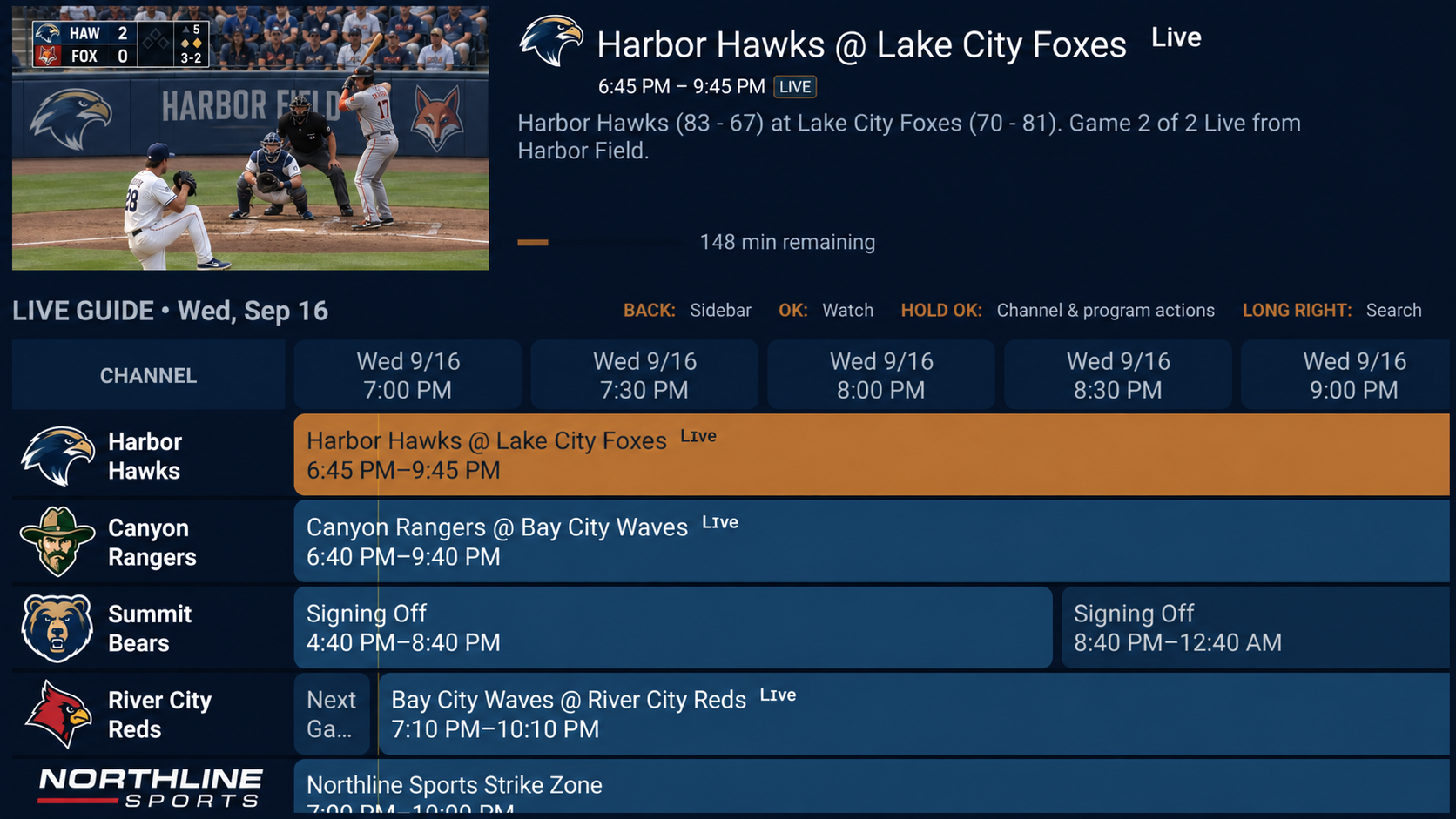
An M3U playlist contains channel information and stream addresses. An XMLTV guide contains program listings associated with channel identifiers. A working stream can still have an empty guide when schedule data is missing or identifiers do not match.
ChannelDeck can detect a guide address declared in your playlist, or you can attach a separate XMLTV source. Program coverage, accuracy and freshness depend on that guide source.
Resolve missing channel schedules
Check that the guide URL is correct and reachable, then refresh the current source and EPG. Confirm that the guide actually contains listings for the channel you selected. A guide for another lineup cannot supply the right schedule just because channel names look similar.
Premium includes manual EPG channel matching for cases where the source identifiers need help. Use the app’s matching controls to associate the playlist channel with its appropriate guide channel. Check the displayed programs after matching.
Use schedules to plan viewing
Browse current and upcoming programs, search guide descriptions and use supported reminders. Premium can schedule a future recording from the guide when compatible SMB recording storage is configured.
Program-based recording depends on accurate schedule information and a usable source at recording time. Check storage availability and source connection limits before scheduling overlapping recordings.